Modern Angular 14: Filtering Products with Computed Signals

This is lesson 14 of the Modern Angular Course.
In the previous lesson, we introduced a writable signal for the search input.
Now we build on that foundation by deriving filtered state with
computed(), so the grid reacts automatically as the user types.
In this post, we cover:
- Reusing the existing
searchTermwritable signal - Creating
filteredProductswithcomputed() - Rendering filtered results with
@for - Showing a no-results state with
@empty
Why Use Computed State for Filtering
Filtering is a perfect example of derived state.
We already have two pieces of data in the component:
- The full products list (
products) - The current search text (
searchTerm)
The filtered list should not be stored separately as mutable state. It should be computed from those two sources.
That gives us a cleaner model:
- One source of truth for raw data
- One source of truth for user input
- One derived value for what the UI should render
With computed(), Angular tracks dependencies automatically and recalculates only
when needed.
Add the Computed Filter in ProductsGrid
Open src/app/products/products-grid/products-grid.ts and import computed.
1
import { ChangeDetectionStrategy, Component, computed, signal } from '@angular/core';
Now add a computed signal below products:
1
2
3
4
5
6
7
8
9
10
protected readonly filteredProducts = computed(() => {
  const term = this.searchTerm().toLowerCase().trim();
  if (!term) return this.products();

  return this.products().filter(
    (product) =>
      product.name.toLowerCase().includes(term) ||
      product.description.toLowerCase().includes(term)
  );
});
How this works:
filteredProductsis derived state, not mutable state.- It reads both
searchTerm()andproducts(). - Angular recomputes it automatically whenever either dependency changes.
The normalization with .toLowerCase().trim() also gives users a better
experience by making search case-insensitive and tolerant of leading/trailing
spaces.
Render Filtered Data in the Template
Next, update src/app/products/products-grid/products-grid.html.
The search input binding remains the same. The key change is switching the loop
source from products() to filteredProducts() and adding an @empty block.
1
2
3
4
5
6
7
8
9
10
11
12
13
14
15
16
<div class="products-container">
  <mat-form-field appearance="outline" class="search-field">
    <mat-label>Search products</mat-label>
    <input matInput [(ngModel)]="searchTerm" placeholder="e.g. headphones" />
  </mat-form-field>

  <div class="products-grid">
    @for (product of filteredProducts(); track product.id) {
      <app-product-card [product]="product"></app-product-card>
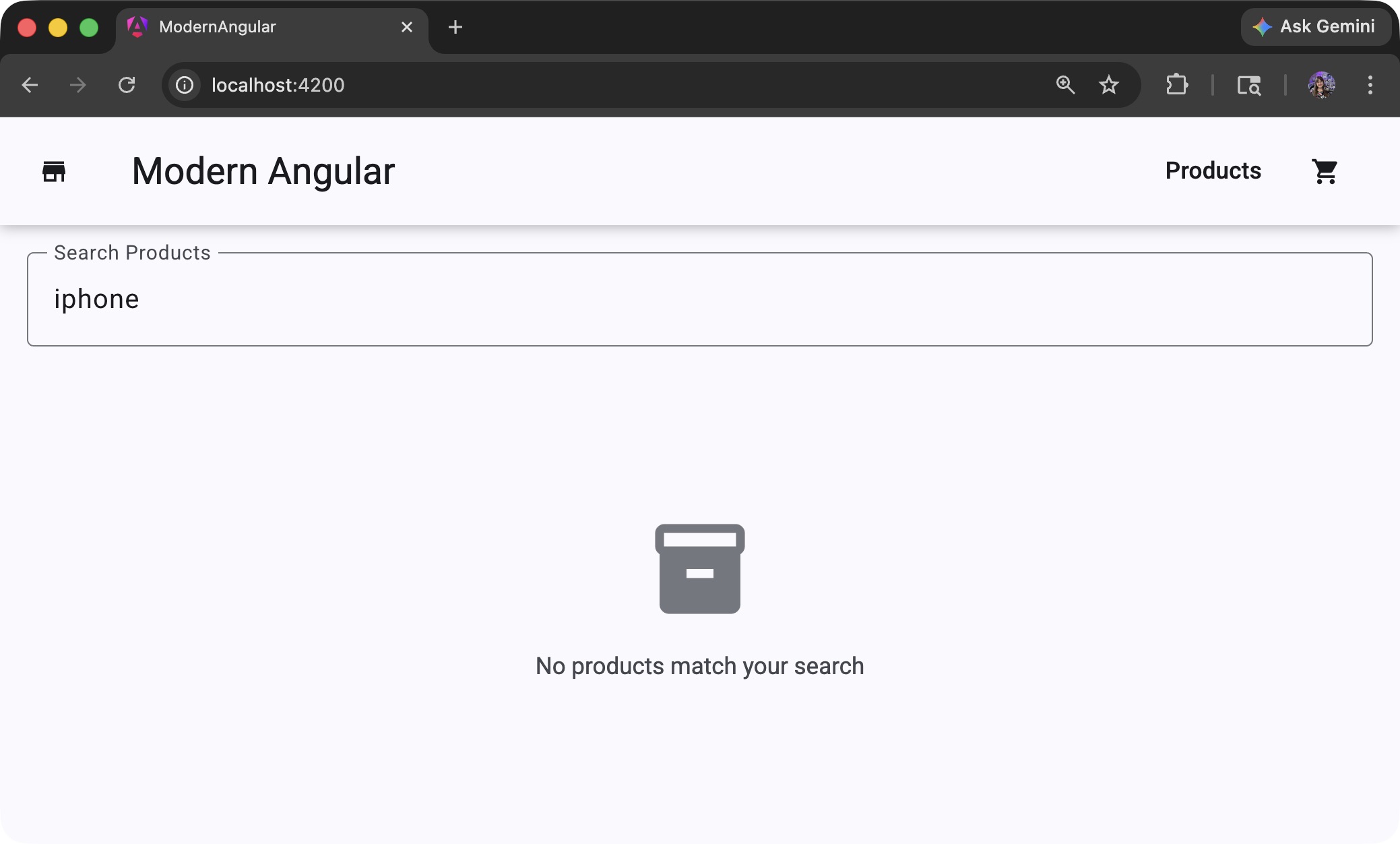
    } @empty {
      <div class="empty-state" role="status" aria-live="polite">
        <p>No products match your search.</p>
      </div>
    }
  </div>
</div>
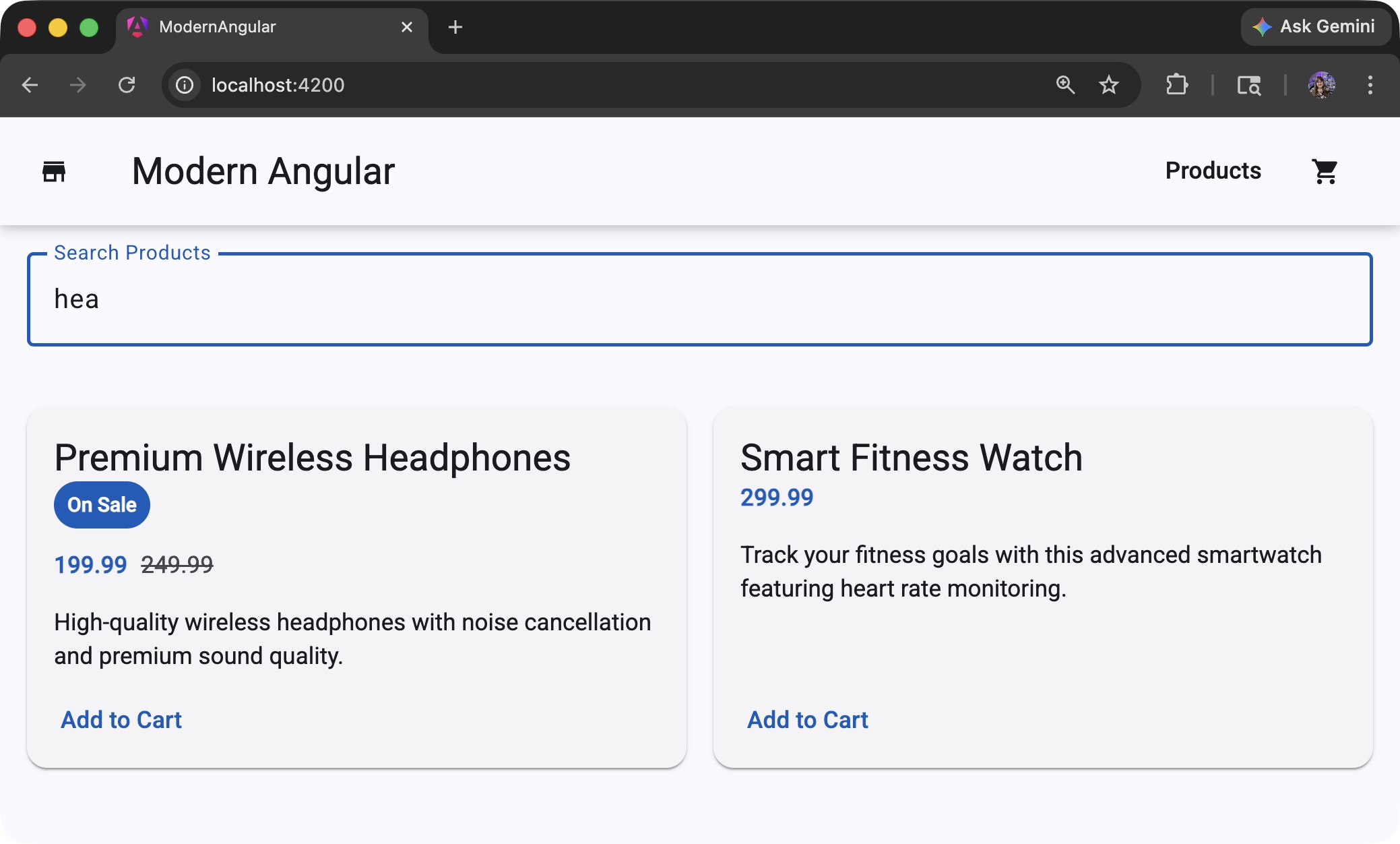
A few important points:
- The input still writes to
searchTerm. @fornow renders from derived data.@emptygives immediate feedback when no product matches.role="status"andaria-live="polite"improve accessibility for dynamic content updates.
Search Field and Empty State Styling
If you do not already have these styles in
src/app/products/products-grid/products-grid.scss, add them:
1
2
3
4
5
6
7
8
9
10
11
.search-field {
  display: block;
  width: 100%;
}

.empty-state {
  grid-column: 1 / -1;
  text-align: center;
  padding: 2.5rem 1rem;
  color: var(--mat-sys-on-surface-variant);
}
Why these styles matter:
display: blockandwidth: 100%make the Material search field span the available width.grid-column: 1 / -1makes the no-results message span the full grid.text-align: centerand extra padding create a clearer empty state.- Theme token color keeps the message visible but secondary.
Recap
In this lesson, we:
- Created
filteredProductswithcomputed(). - Connected the grid to derived state.
- Added an
@emptystate for no matching results.
This same pattern scales well to totals, sorting, grouping, and other UI-derived values.
Source Code
The full source code for the course is available on GitHub: loiane/modern-angular.
Next Step
In the next lesson, we will implement Add to Cart and introduce output()
for child-to-parent communication.
Watch the Video
This post is part of the Modern Angular Course series. Check the course page for the full episode list.