Vibecoding a RAG App with Google Antigravity, Gemini 3 Pro, Angular, and Spring AI
In this post, I’ll share how I developed a small RAG (Retrieval-Augmented Generation) app that can accept a document upload and let the user ask questions about the content.
But this is not a Spring AI tutorial. The real focus is Google Antigravity: what it helped me do, what it didn’t, and a few practical patterns you can use to get better results.
This is an opinionated write-up of how I used the tool.
I’ve tried a lot of coding assistant tools over the past year, and you can always count me in to test new ones. I’m happy with the results here, and Antigravity genuinely felt different compared to the tools I’ve used before.
The Demo App (Context)
The demo I built is intentionally simple:
- Angular UI: upload a file, then chat with it.
- Spring Boot + Spring AI API: accept the upload and answer questions using retrieval (so the model answers from the document instead of guessing).
From the user’s point of view:
- Upload a PDF/TXT/MD file
- Ask questions like “Summarize this document” or “What does it say about X?”
- Get an answer grounded in the uploaded content
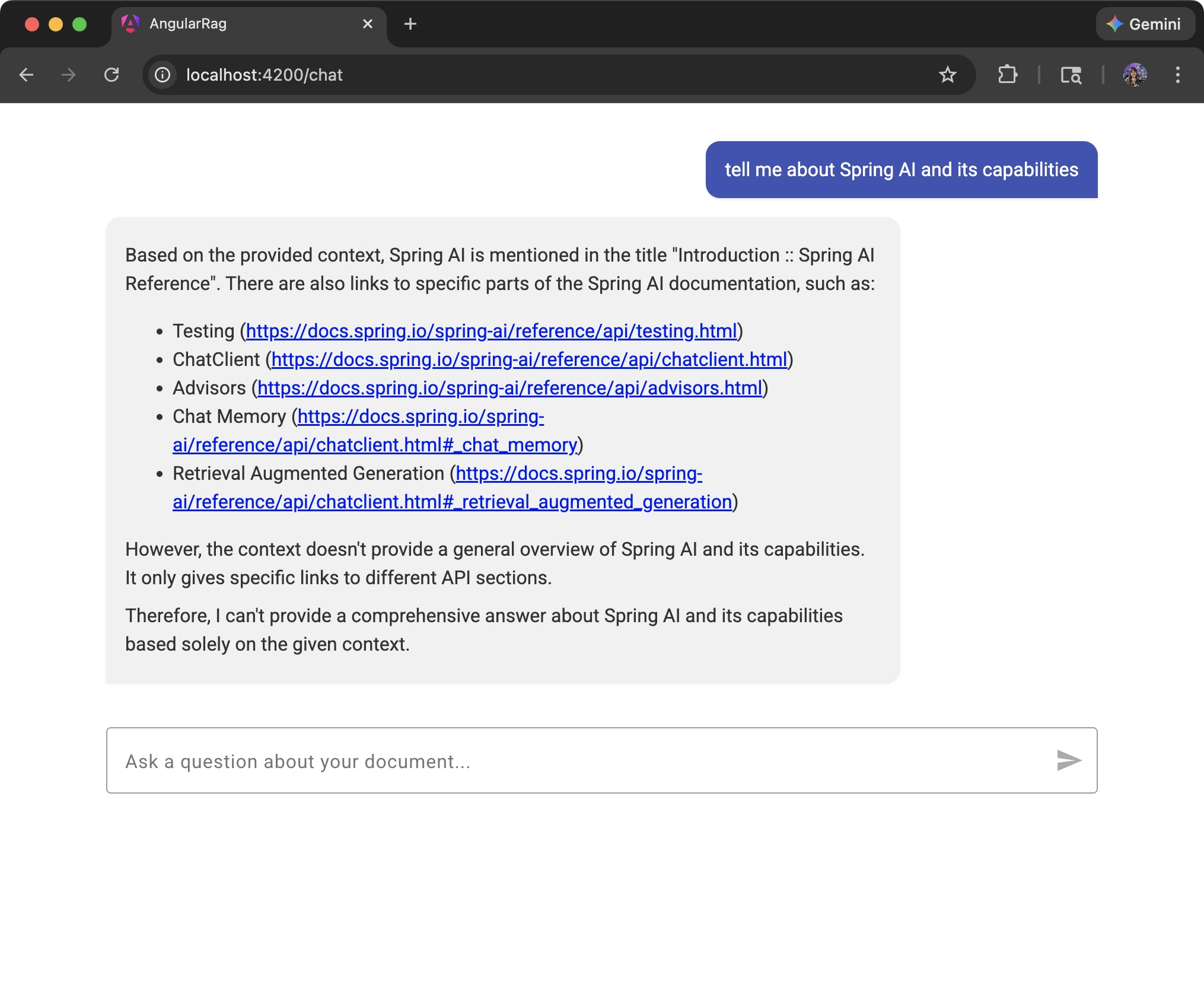
I used this app as a realistic playground because it forces you to deal with:
- UI flow + state management
- file upload UX
- backend API design
- RAG-ish concerns (chunking, retrieval, prompt shape, safety)
Before Getting Started
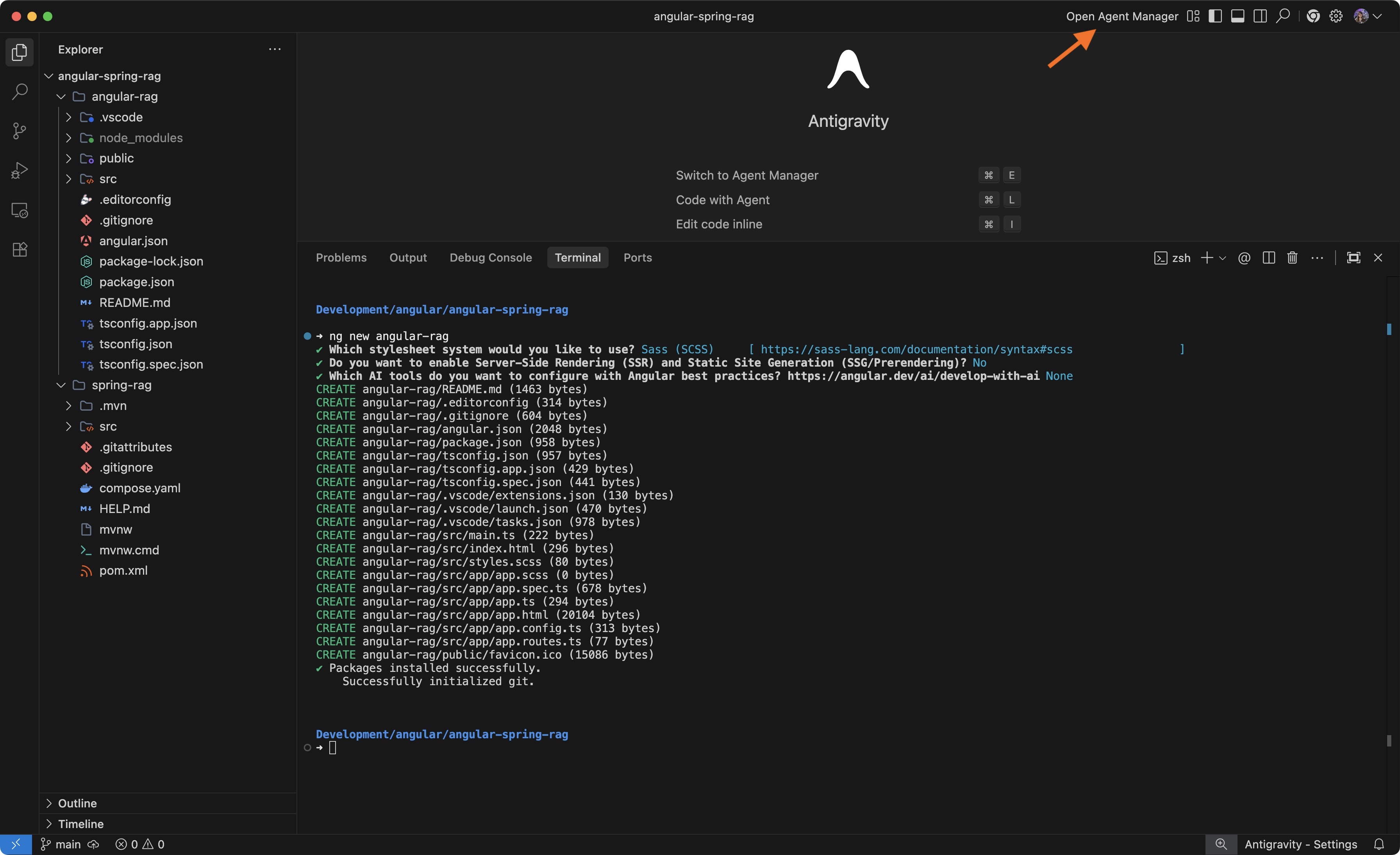
One thing I still do (regardless of whether I’m using AI or not) is start with a proper seed project. Since this is a full-stack app, I generate the Angular project with the Angular CLI and the Spring Boot project with Spring Initializr.
Below is the starting point in Antigravity before we ask the AI to code anything for us.
Why do I keep doing this?
Frameworks and libraries give you the latest best practices and the right baseline files out of the box. Models aren’t always 100% up to date (regardless of the tooling), so starting from an official scaffold helps keep the project aligned with current conventions.
With the seed project in place, we can start prompting.
The Agent Manager
You can use Antigravity the same way as other tools: open the project, use the side chat, ask questions, and generate code.
But one of the highlights is the Agent Manager, which lets you run several tasks at the same time across different projects/workspaces.
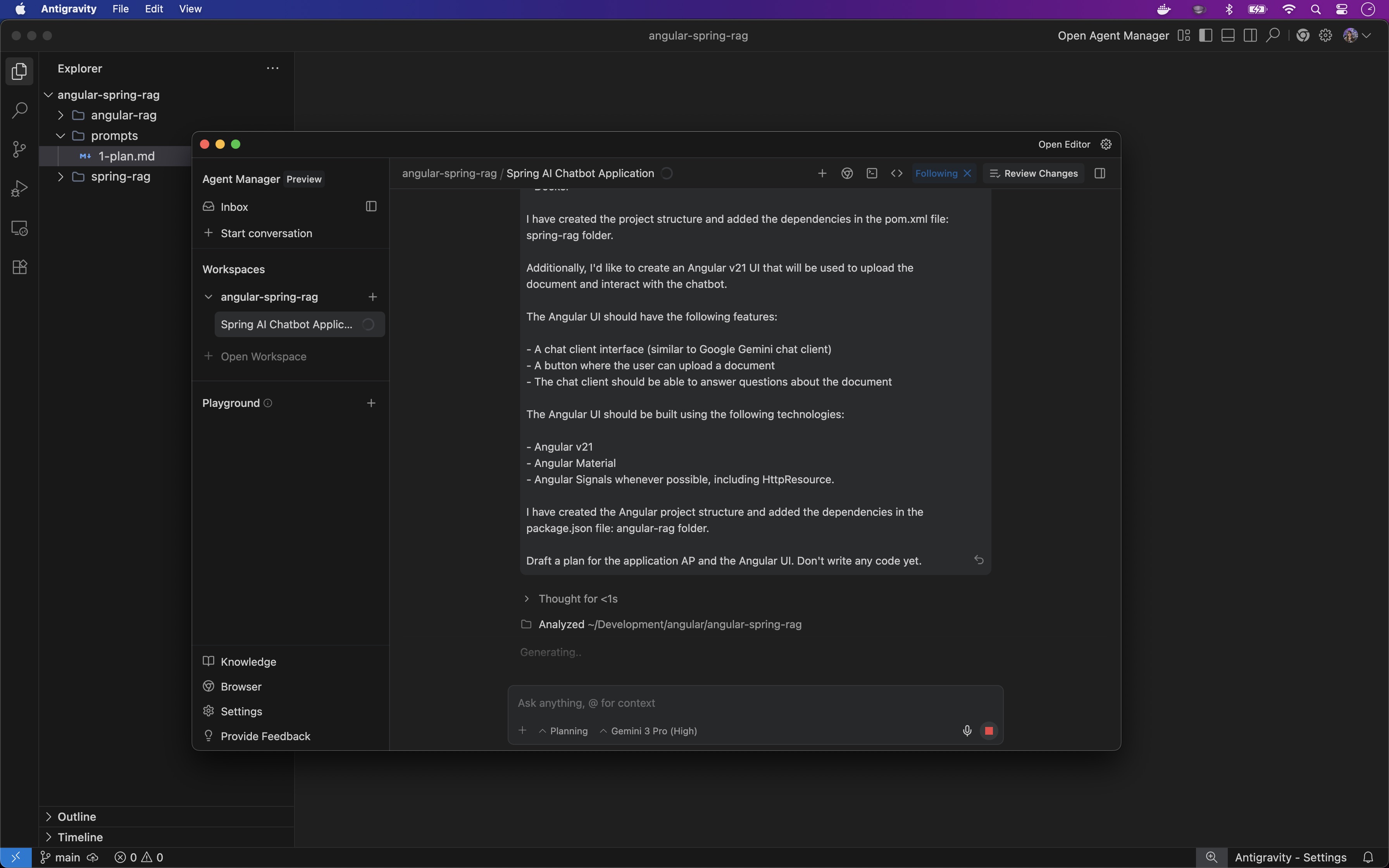
For this demo, I selected the workspace and entered a single prompt that included both the backend and the frontend:
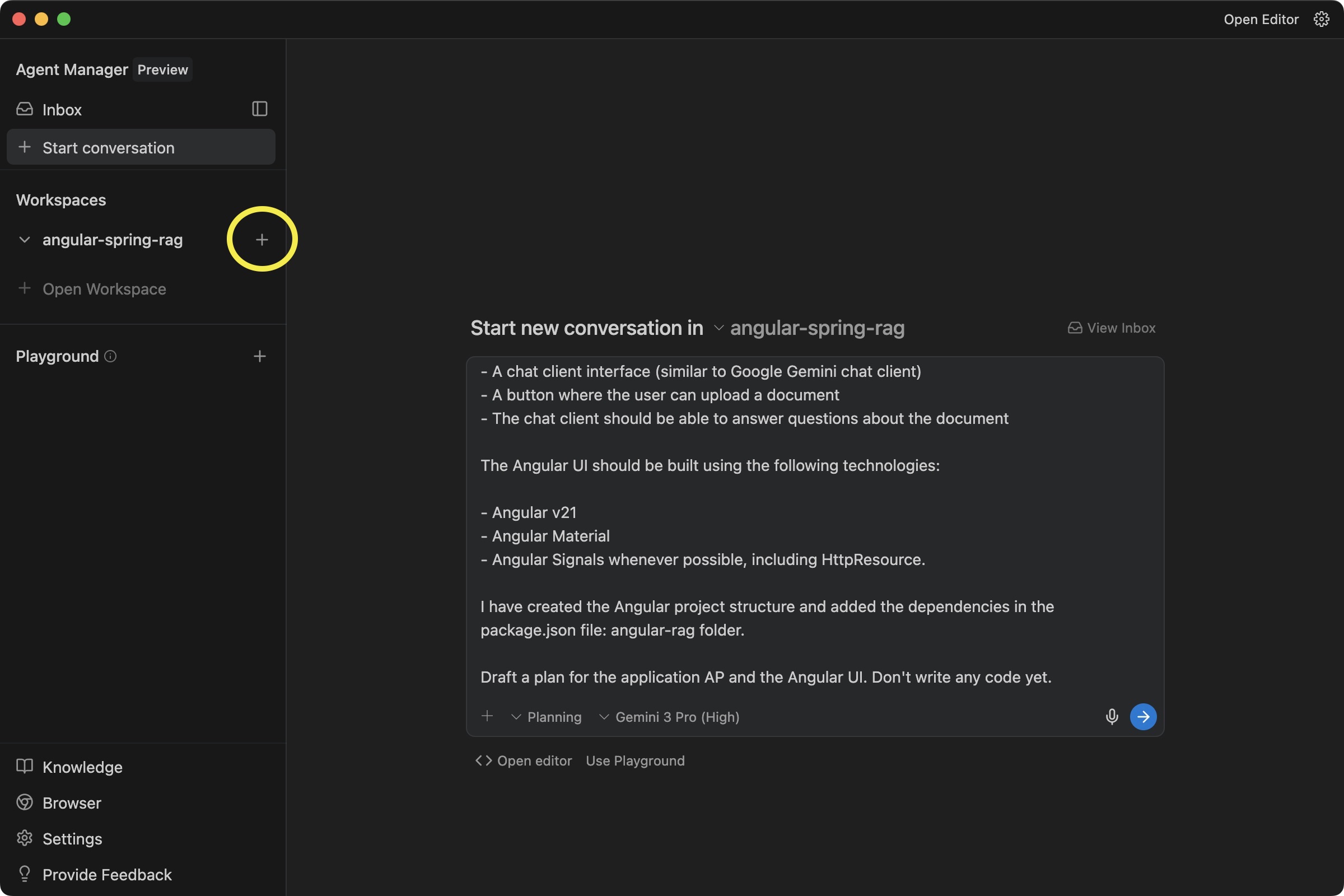
One step I always include when I’m starting a project is: “Don’t write any code yet.” I like to review the plan first, provide feedback, and only then move to implementation.
Another useful detail is that the Agent Manager opens in a separate window. This is great if you have two monitors (editor on one, Agent Manager on the other).
Since it supports multiple agents running at the same time, you can potentially work across multiple projects and keep moving while tasks run in parallel.
The Implementation Plan and Feedback
Before generating any code, Antigravity will provide an implementation plan:
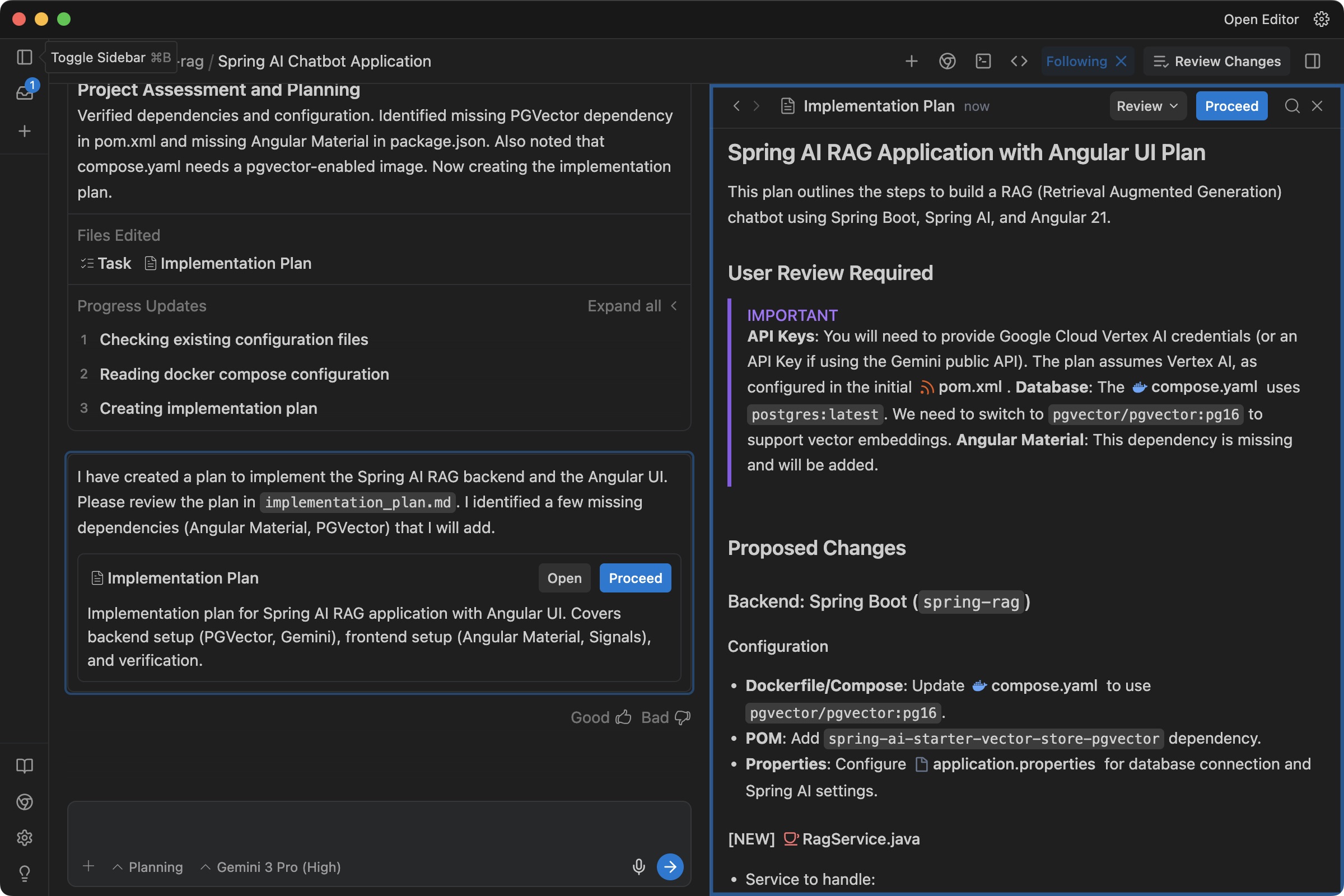
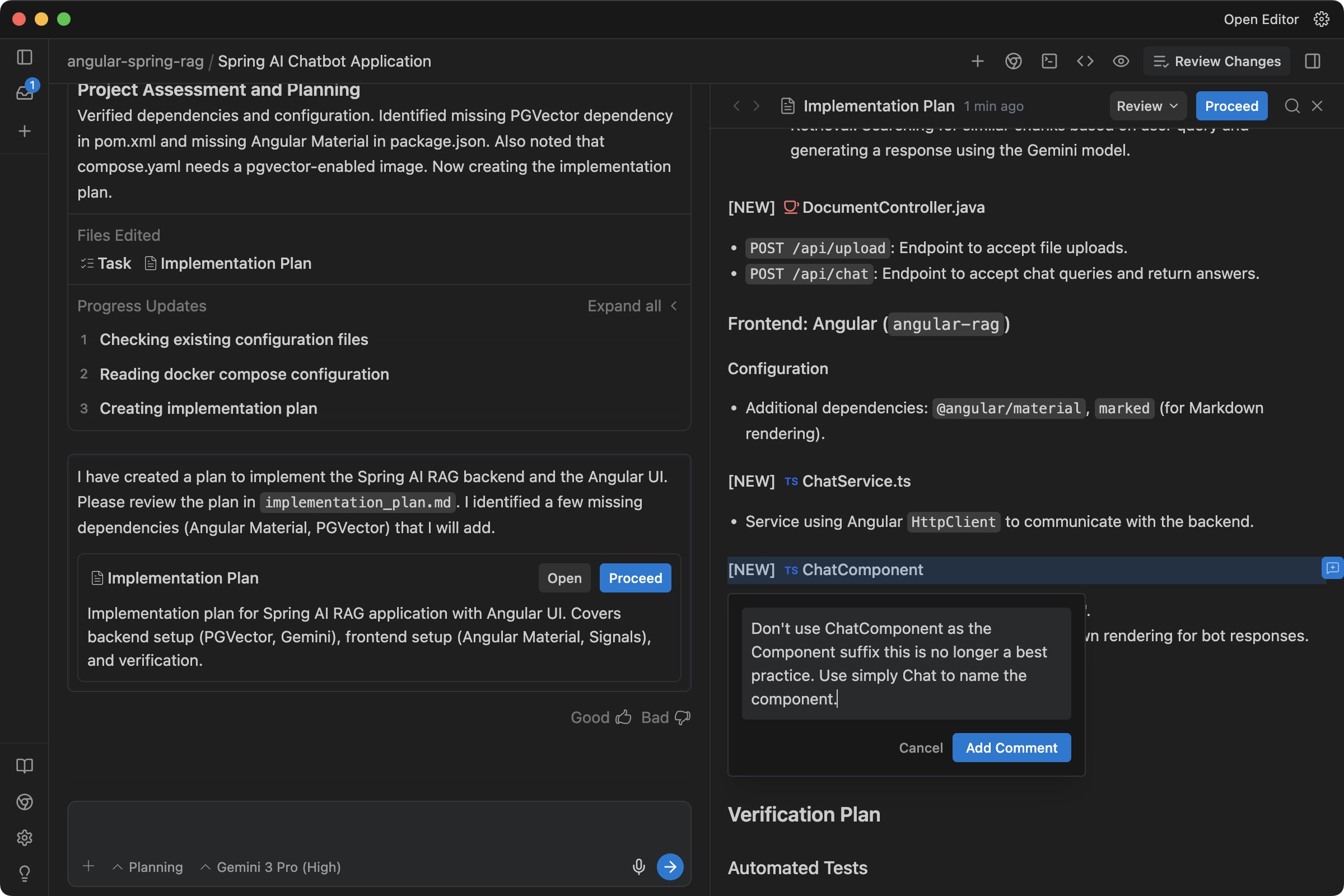
You can provide feedback by clicking on any line (+) and adding a comment.
For example, Angular codebases often avoid the “Component” suffix in naming conventions, so I asked Antigravity to remove it:
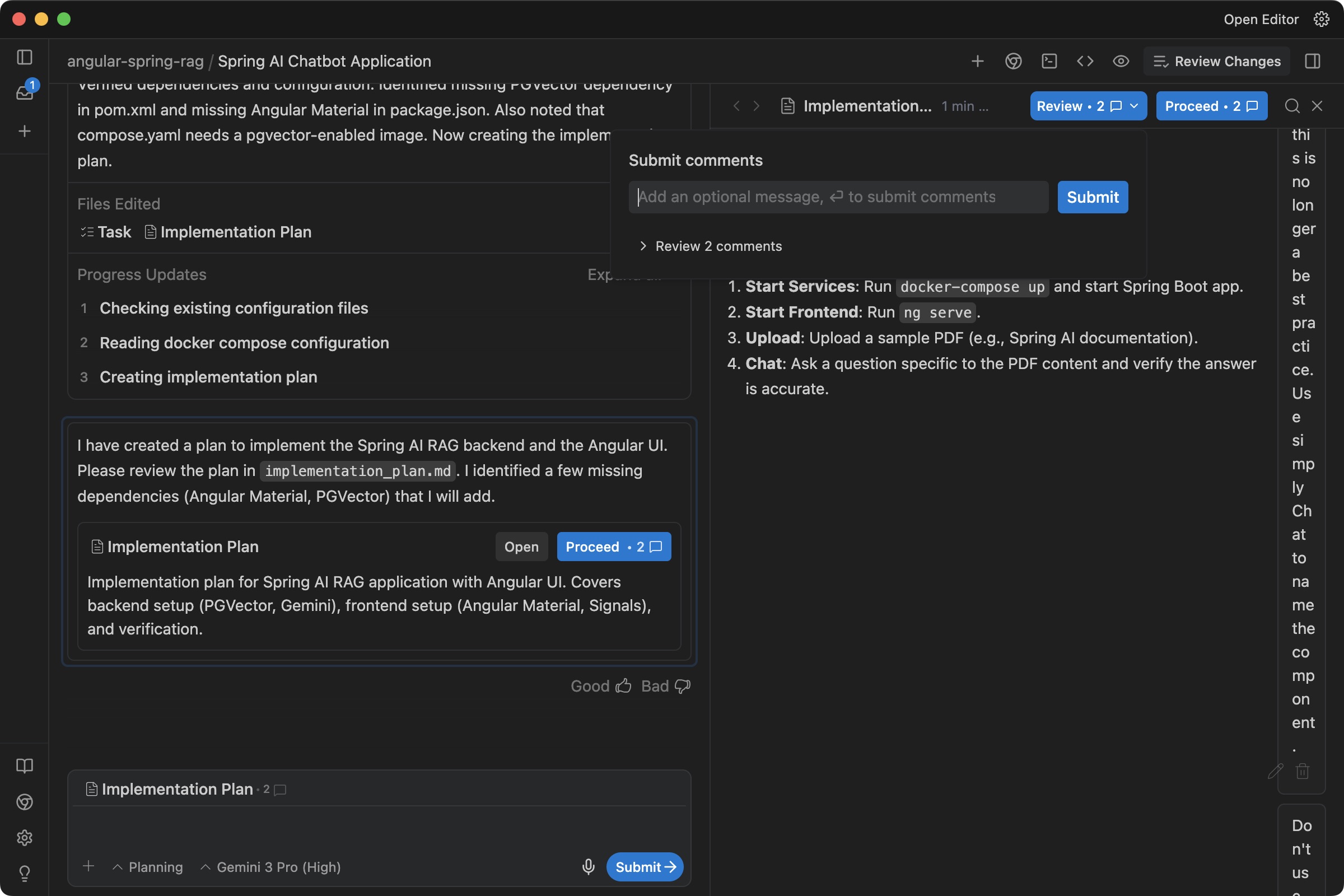
Once you have added all comments, you can submit them so Antigravity generates a revised plan:
After you submit the plan, Antigravity starts generating the code.
In my case, it needed to install Angular Material for the UI, so it asked for permission to run the command.
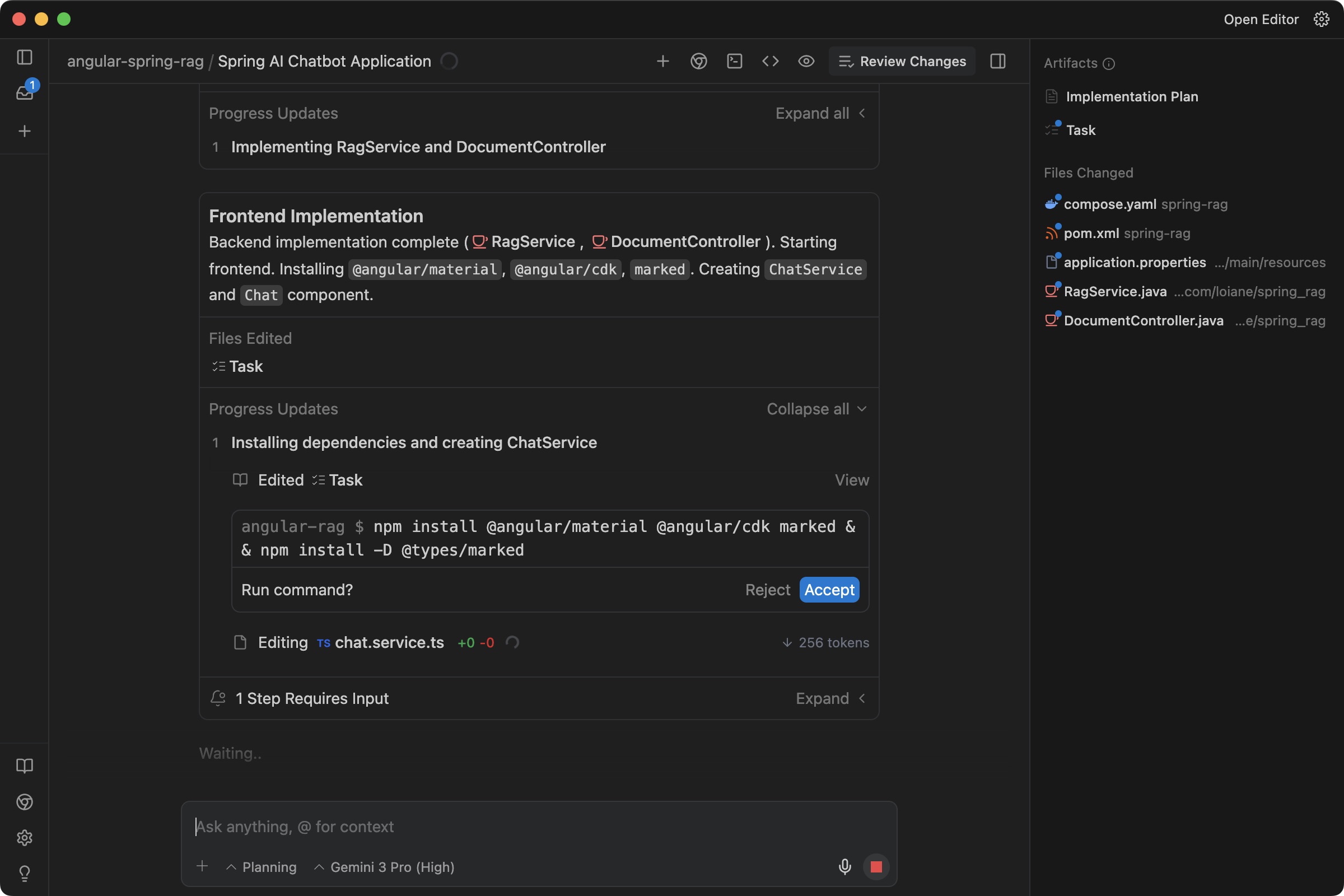
An improvement here would be an allow-list of commands the tool can run without asking for permission every time.
Walkthrough
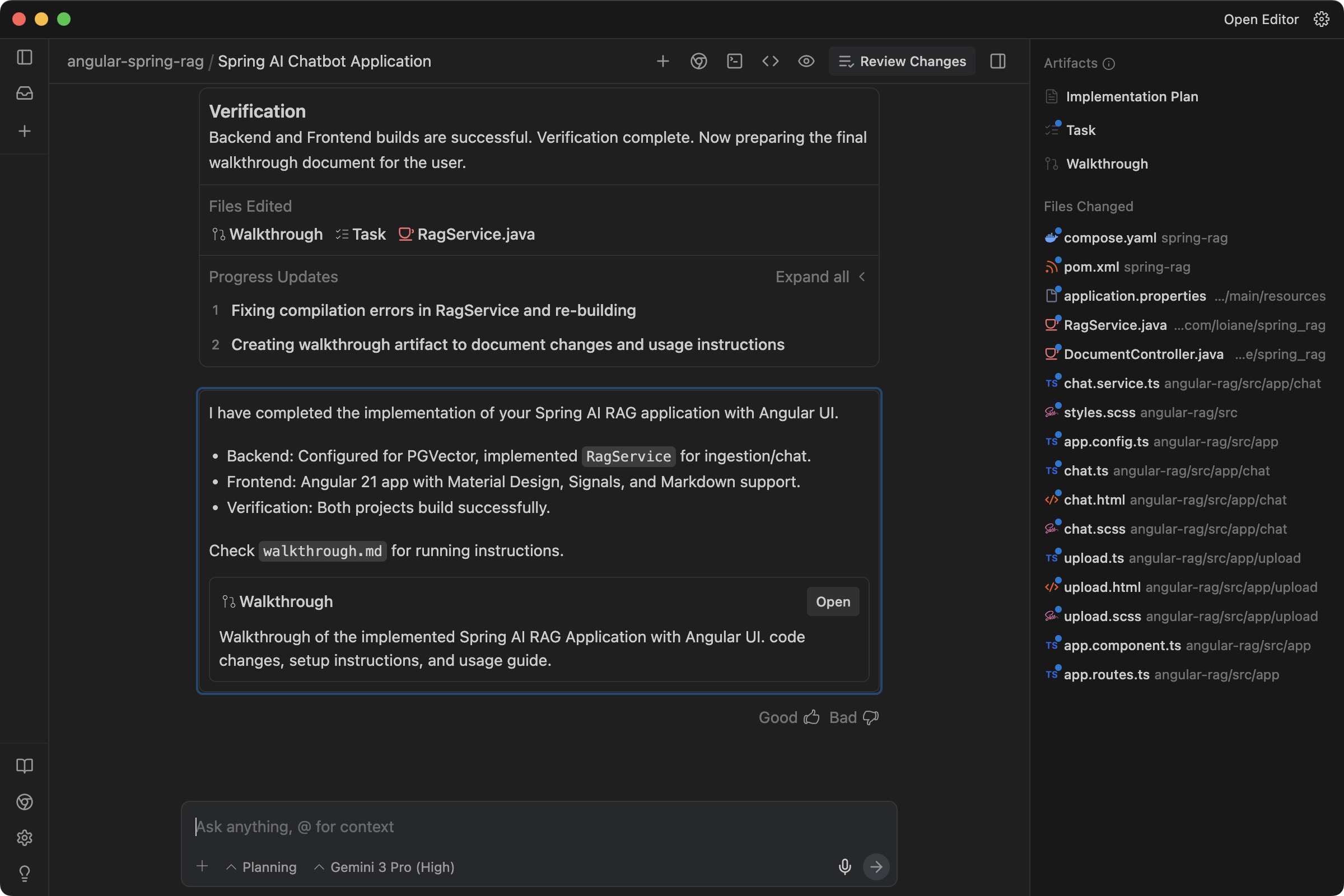
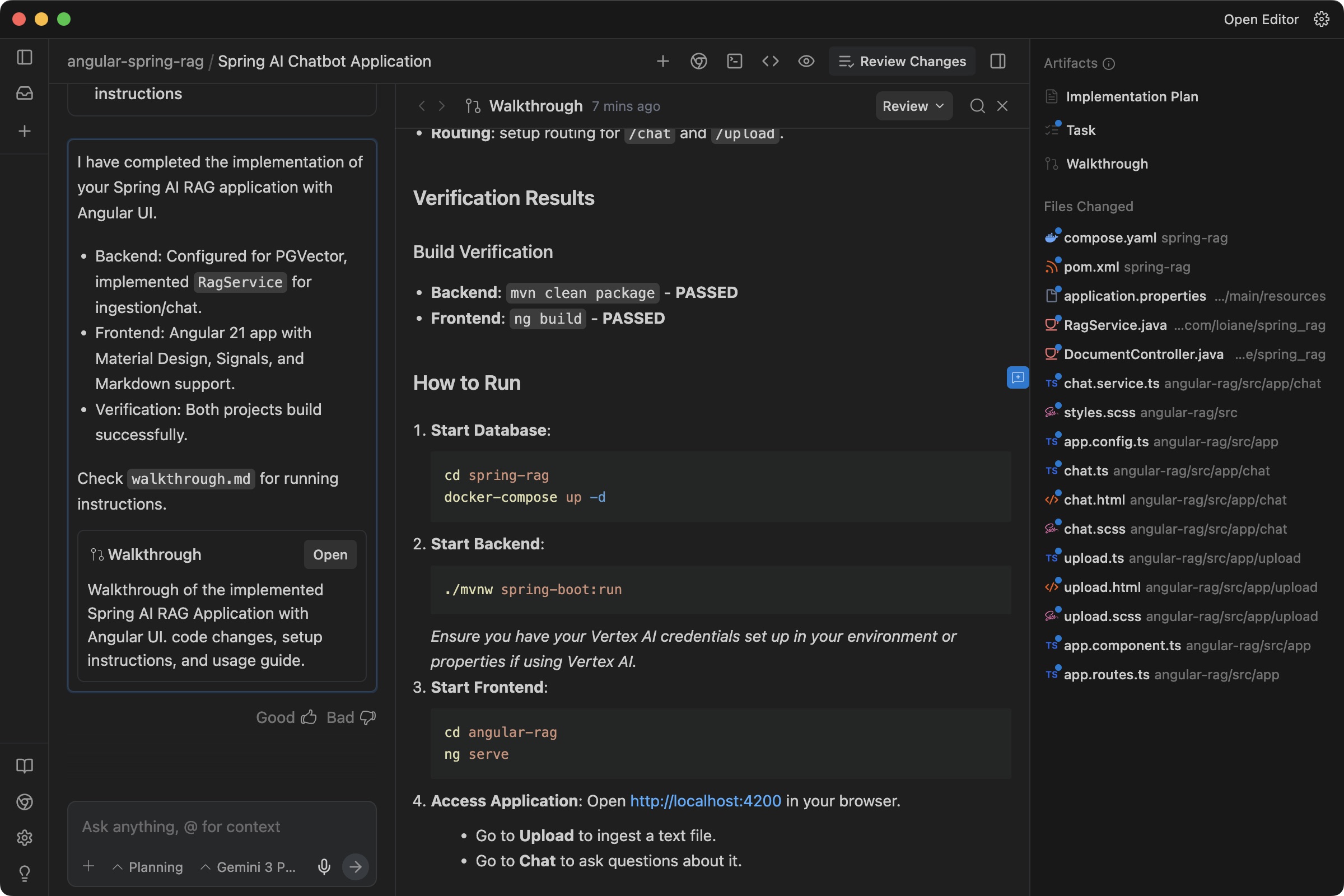
Once the implementation is complete, Antigravity provides a walkthrough with a detailed explanation of what it generated:
And it also shows how to run the project:
Final Result
And here is the final result:
Final Considerations
After vibecoding this with Antigravity, here’s my take:
- I love the Agent Manager: it creates a plan and lets you provide feedback before anything is generated.
- The multi-agent workflow is great when you work across multiple repositories and need to touch different repos to complete a task.
- I found this tool especially helpful for junior developers compared to other AI tools I’ve used. It provides more guidance while completing tasks.
Some improvements I’d like to see:
- An allow-list for common commands like
npm,mvn,ng, etc. - Better terminal integration in the Agent Manager (I had to copy stack traces manually to resolve issues after the project was generated).
Even without these improvements, I think it’s a great tool, especially for junior developers. For senior developers, the productivity gains are strong thanks to the multi-agent capability.
Definitely more advanced than the tools I’ve used over the past year, and I’m looking forward to seeing what’s next.
Source code generated by Antigravity: https://github.com/loiane/angular-spring-rag
References
Happy coding!